To change your subscription amount, you will first need to disable auto-renew by canceling your account. The steps you need to take to change your renewal rate:
1) Go to http://tinypass.com
2) Log in using your current Dish username and password
Your username should be the email address you used to subscribe. The password should be whatever your chose at that time. If you have forgotten your password, click the link below the login button to reset it (or go here). If TinyPass does not recognize your email address, contact us.
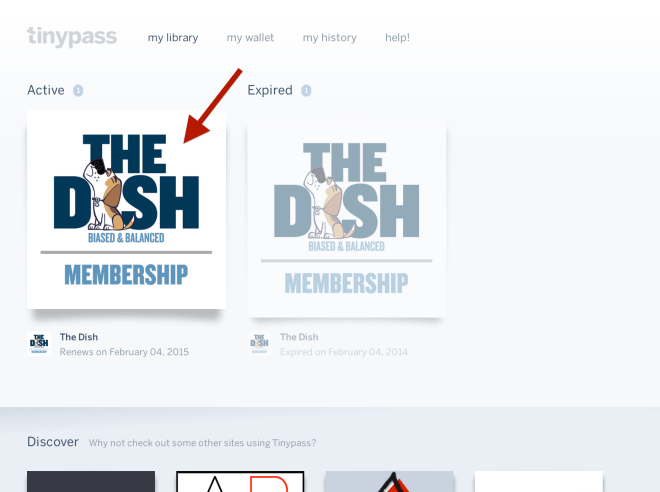
3) Once you have successfully logged in, you will be in the “my library” section of your TinyPass account. Click on the most recent “active” Dish membership on the left side of the screen:
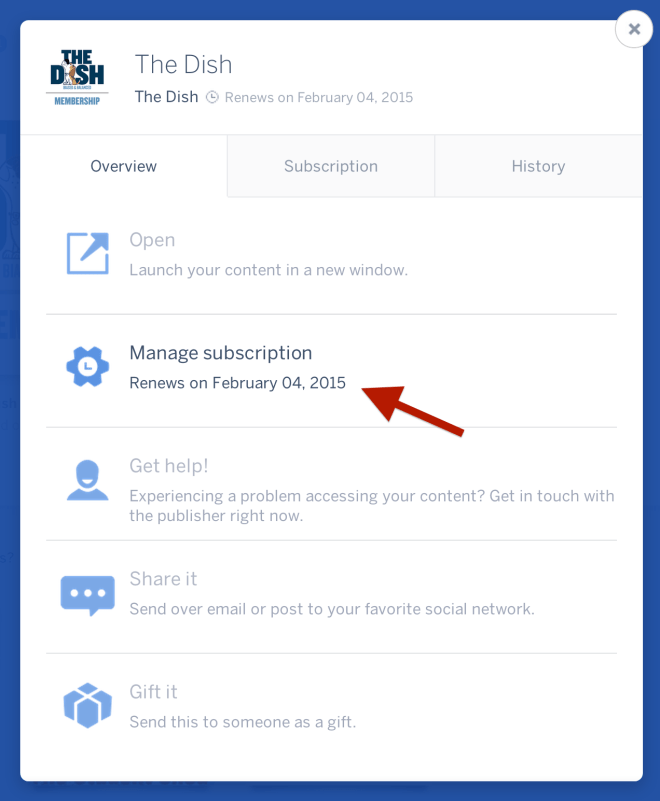
4) In the resulting window, select the “Manage subscription” option:
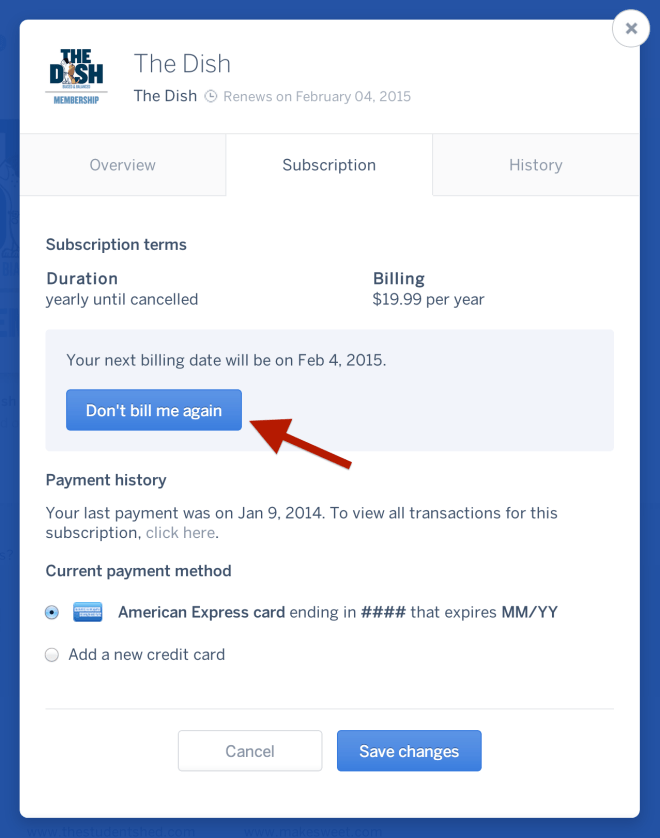
5) In the resulting window, click the “Don’t bill me again” button:
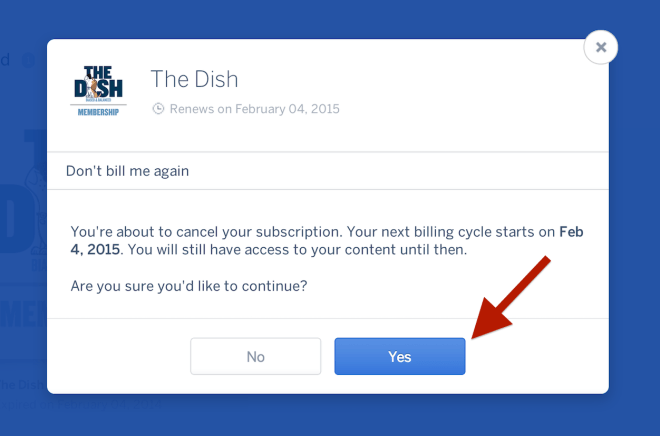
6) In the resulting window, click “Yes”:
7) Once your auto-renew is disabled, go to https://dish.andrewsullivan.com/renew to set up your renewal at the rate of your choice.
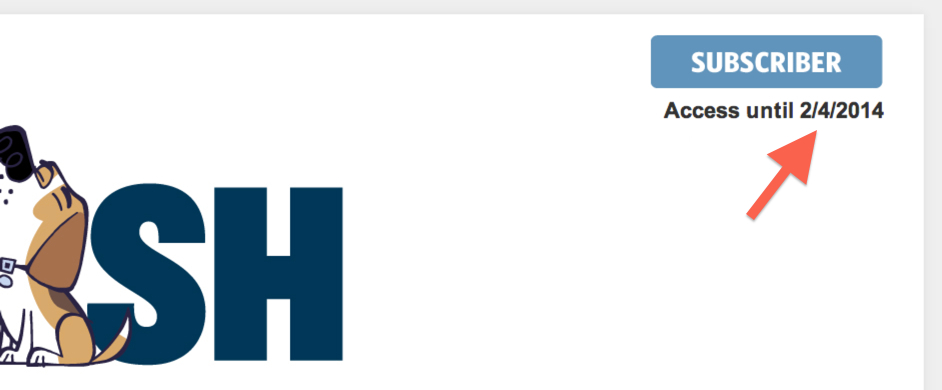
And that’s it! Please note that while you will be charged the new rate immediately, this will not reduce the length or value of your current subscription, it will simply extend your already existing subscription. When you are logged in at the Dish, your new expiration date will be listed below the blue SUBSCRIBER button in the upper right corner of the site:
If you need to change your email address or password, learn how to do that here. If you have any additional problems or questions, please email support@andrewsullivan.com.
 The Dish